
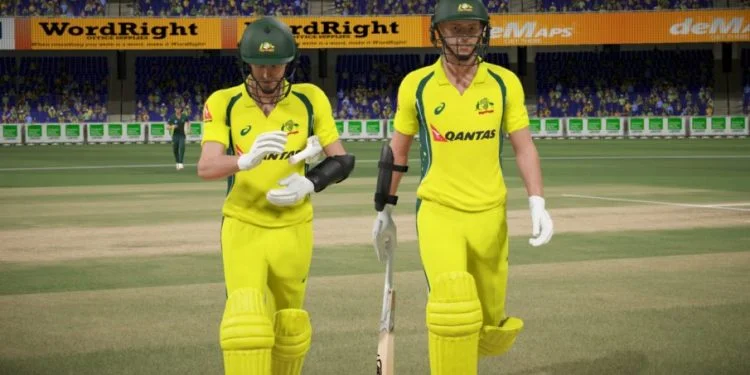

Why Keyboard Doesn’t Work by Default
Don Bradman Cricket 14 and 17 are designed for controllers like Xbox/PlayStation gamepads — they don’t support keyboard controls out of the box, so the game will usually show “Controller not detected” if you try to play with a keyboard only. iestudioz.blogspot.com+1
So to play with a keyboard: you have to emulate a virtual controller using extra software.
What You Need
You will need two free tools:
VJoy
A utility that creates a virtual joystick device on your PC.
➤ When running, Windows thinks there’s a controller connected.
x360ce (Xbox 360 Controller Emulator)
This helps map your keyboard keys to controller buttons — so the game reads keyboard input as if it were a controller. Cricket Time
💡 You might also see “Keyboard Splitter” or “UJR” mentioned online — but VJoy + x360ce is the most reliable method that players tend to use.
Step-by-Step – Play with Keyboard
Download & Extract Tools
-
Download VJoy and x360ce (many sites offer these — be sure to get from official or trusted sources).
-
Extract both tools to a folder.
(Use programs like WinRAR or 7-Zip.)
Install VJoy
-
Run VJoySetup.exe from the extracted folder.
-
Go through the installation — this adds a virtual controller to your system.
You’ll know it’s installed if your game sees a controller connected (even though you’re using keyboard keys).
Set Up VJoy
-
Open VJoy from the folder.
-
Click Open INI and choose a config like
cricket14.ini(often included in tool packs). -
Click Enable.
This tells VJoy to use the preset controller layout. Hi Tech
Copy x360ce Files to Game Folder
-
Go to where Don Bradman Cricket 14 or 17 is installed on your PC.
-
Copy all x360ce files (from the extracted x360ce folder) into the game’s main directory.
Now your keyboard can be mapped as a controller.
Test the Virtual Controller
-
In the game folder, find and run XInputTest.exe.
-
If it shows Connected, the virtual controller is working.
If it still says “Not connected,” you might need to copydinput8.dllfromC:\Windows\System32into the game folder and replace any existing one — this helps x360ce pick it up. Cricket Time
Open & Configure x360ce
-
Run x360ce.exe in the same game folder.
-
Map keyboard keys to virtual buttons (like A, B, X, Y, analog sticks, etc.).
-
Save & minimize it — don’t close it while playing. x360ce.com
Launch the Game
Now start Don Bradman Cricket 14 or 17.
The game will see the virtual controller — and your keyboard will now act like a controller input.
Example Keyboard Mapping (Common Config)
This is a sample mapping you can use once VJoy + x360ce is running (you can customize later):
| Keyboard Key | Controller Button |
|---|---|
| Arrow Keys | Analog Movement |
| W | Bat Forward |
| A | Run |
| S | Cancel Run |
| D | Power Shot |
| Z | Defensive Shot |
| X | Special Shot |
| (This type of layout is suggested in older guides and community configs.) Hi Tech |
Important Notes
You must keep VJoy + x360ce running while the game is active — otherwise the controller emulation disappears.
Some people report keyboard emulation tools stop working after 10–15 minutes — this is a known issue with certain software versions.
If this still feels too complicated, buying a cheap Xbox-style controller (~low cost) will let the game work natively without messing with emulators — and it plays way better overall.
Why It’s Like This
Don Bradman Cricket games were built around controllers not keyboards, so the only way to play with keys is by making the PC think the keyboard is a virtual controller. That’s exactly what VJoy + x360ce does.